GENERATOR
How it works

Your toolpaths in. A machine-ready macro out.

RAZ-Generator isn't programming software. Keep programming parts the way you do now, in any CAM system or by hand. RAZ-Generator takes those toolpaths and adds everything the machine needs around them.

What it is

A macro builder, not a CAM system.

What it does

  • Takes the toolpaths you already have, from any programming software
  • Adds the macro around them: transfer, pickup, cut-off, part eject, bar feed and part counting
  • Sets the work offsets from the stickout, so they don't have to be measured again
  • Checks both turrets, the transfer and the cut-off before anything reaches the machine
  • Prints a setup sheet for the operator with every job
What it doesn't do

  • It doesn't create toolpaths. Your CAM software or your programmer still does that.
  • It doesn't lock you into one CAM system. Toolpaths from any of them work.
  • It doesn't need a computer at the machine. The macro runs on the control itself.
Step by step

From toolpaths to a machine-ready job.

01

Paste your toolpaths

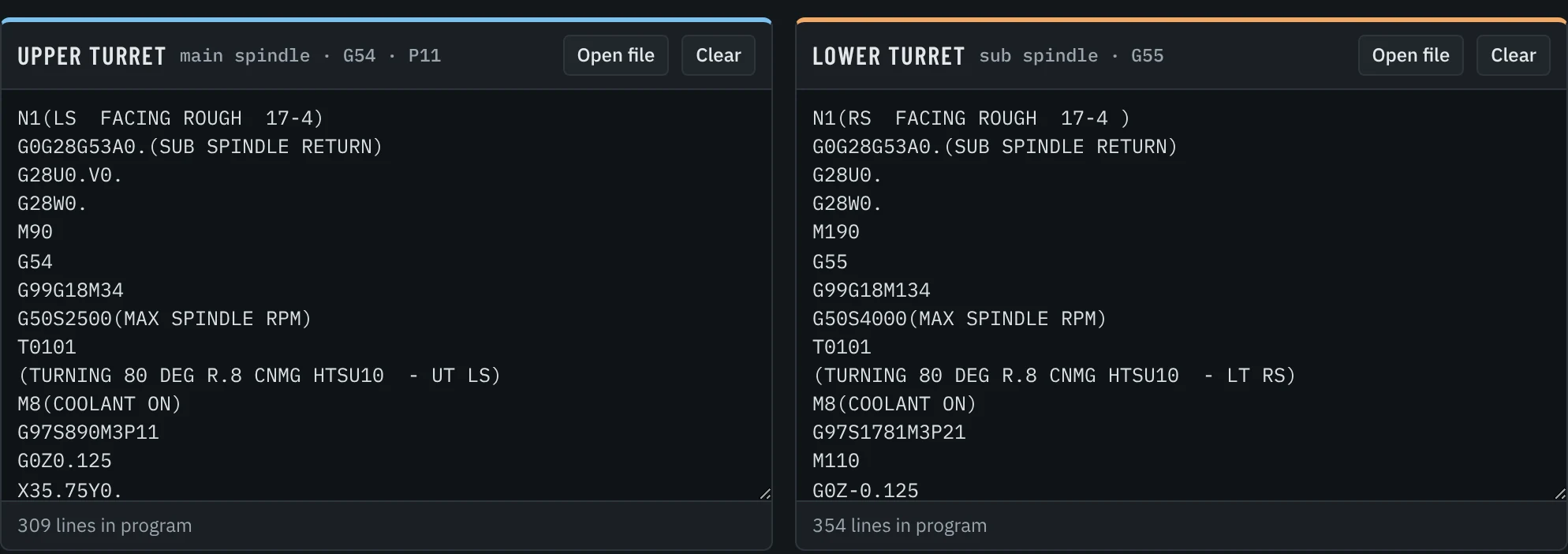
Copy just the toolpaths from whatever programming software you use: main spindle work on one side, sub spindle work on the other. No headers, no transfer and no cut-off to write by hand.

RAZ-Generator: toolpaths pasted for the main spindle and the sub spindle
02

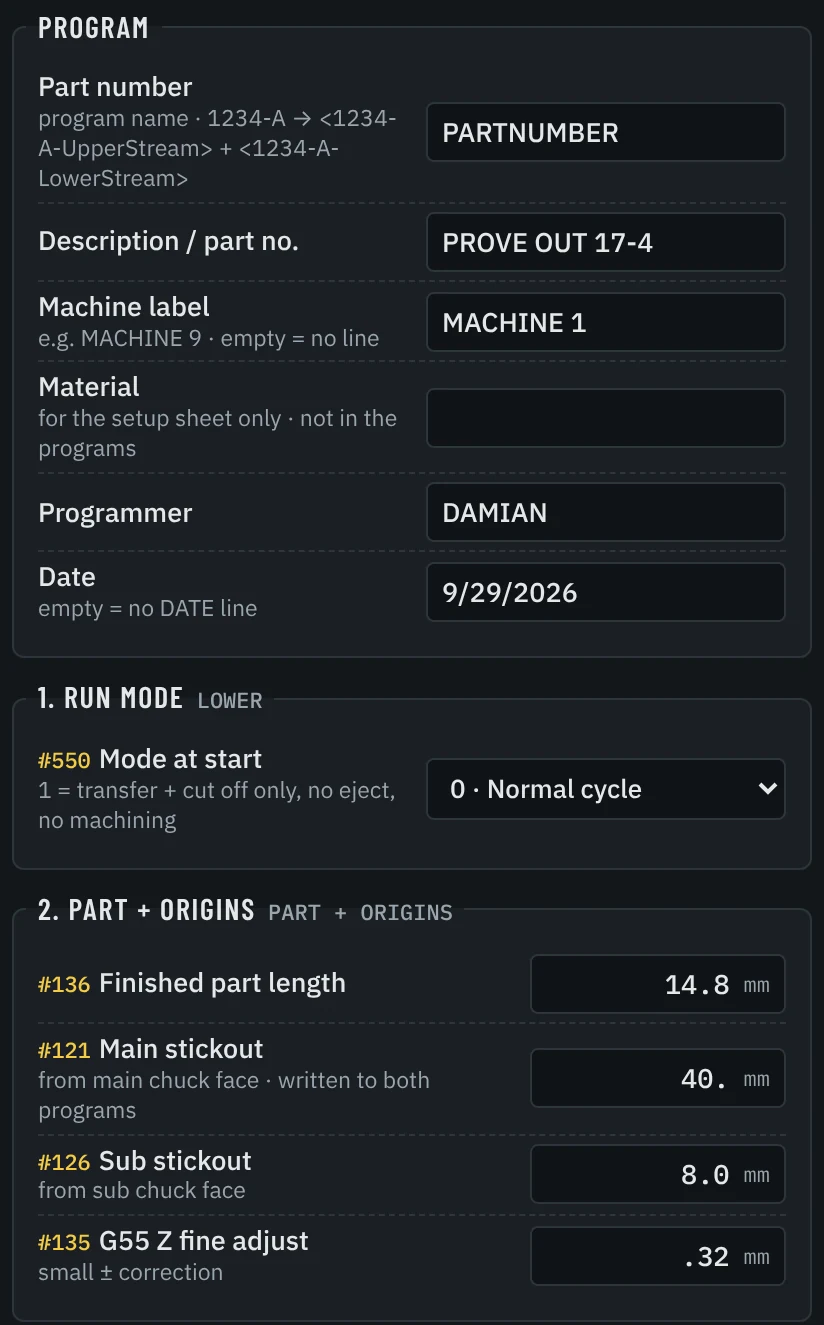
Fill in the job

Part length, stickouts, stock and the cut-off tool. The stickout is what sets the work offsets, so nobody has to touch them off again when the job changes.

RAZ-Generator: job settings with part length and stickouts
03

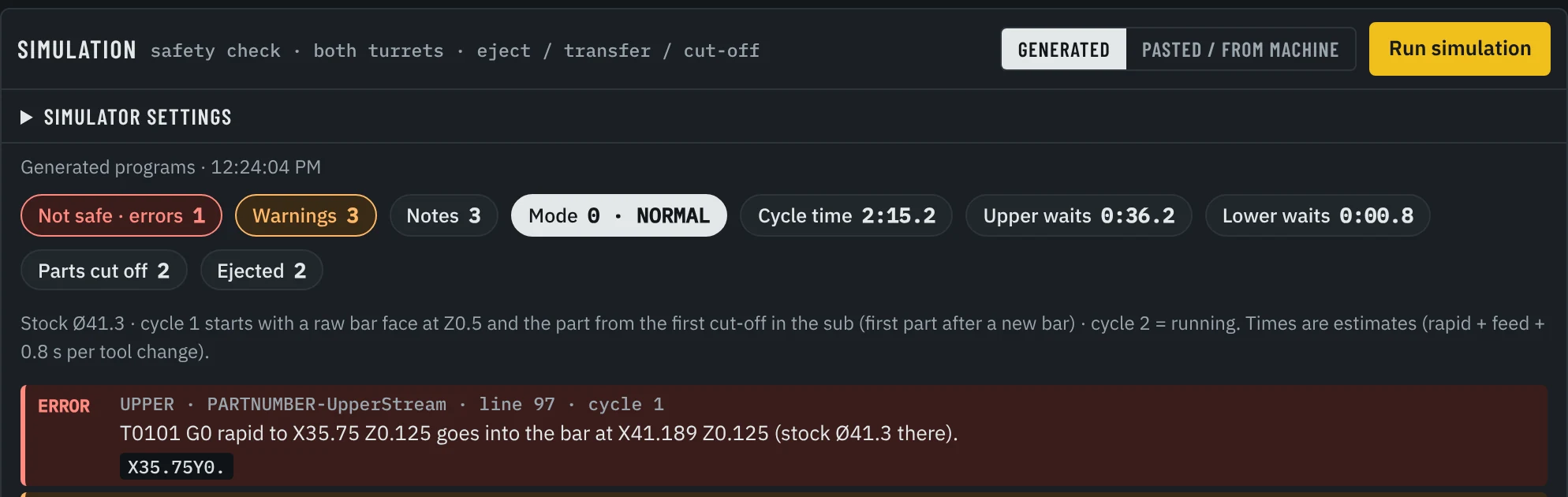
Let it check

A built-in simulation runs both turrets, the eject, the transfer and the cut-off, and lists anything that isn't safe before it gets near the machine.

RAZ-Generator: simulation result flagging a rapid move into the bar
Here it caught a rapid move into a fresh bar on the first part.
04

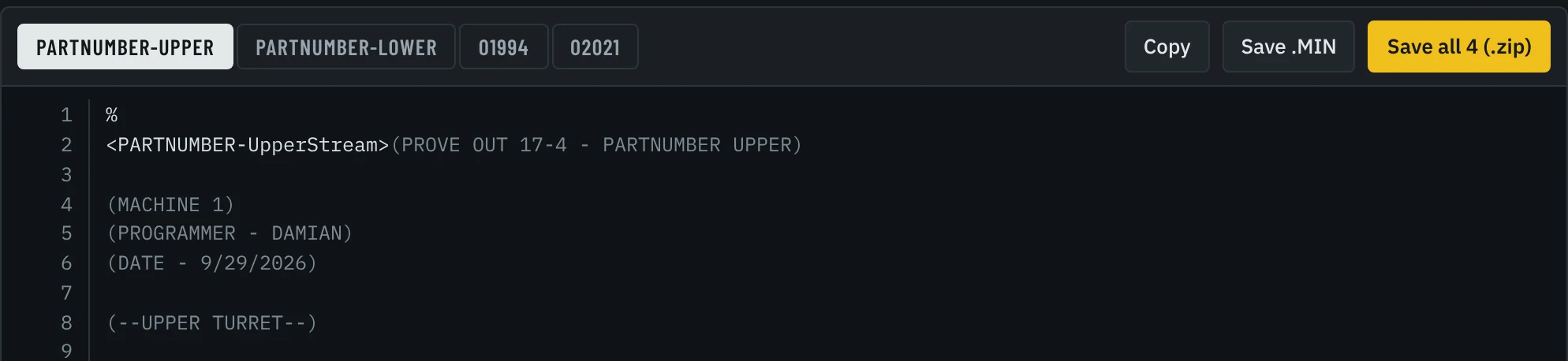
Save the programs

The complete program set comes out ready to load: the programs with the macro, the transfer and cut-off, and the bar feeder cycle.

RAZ-Generator: generated program set ready to save
05

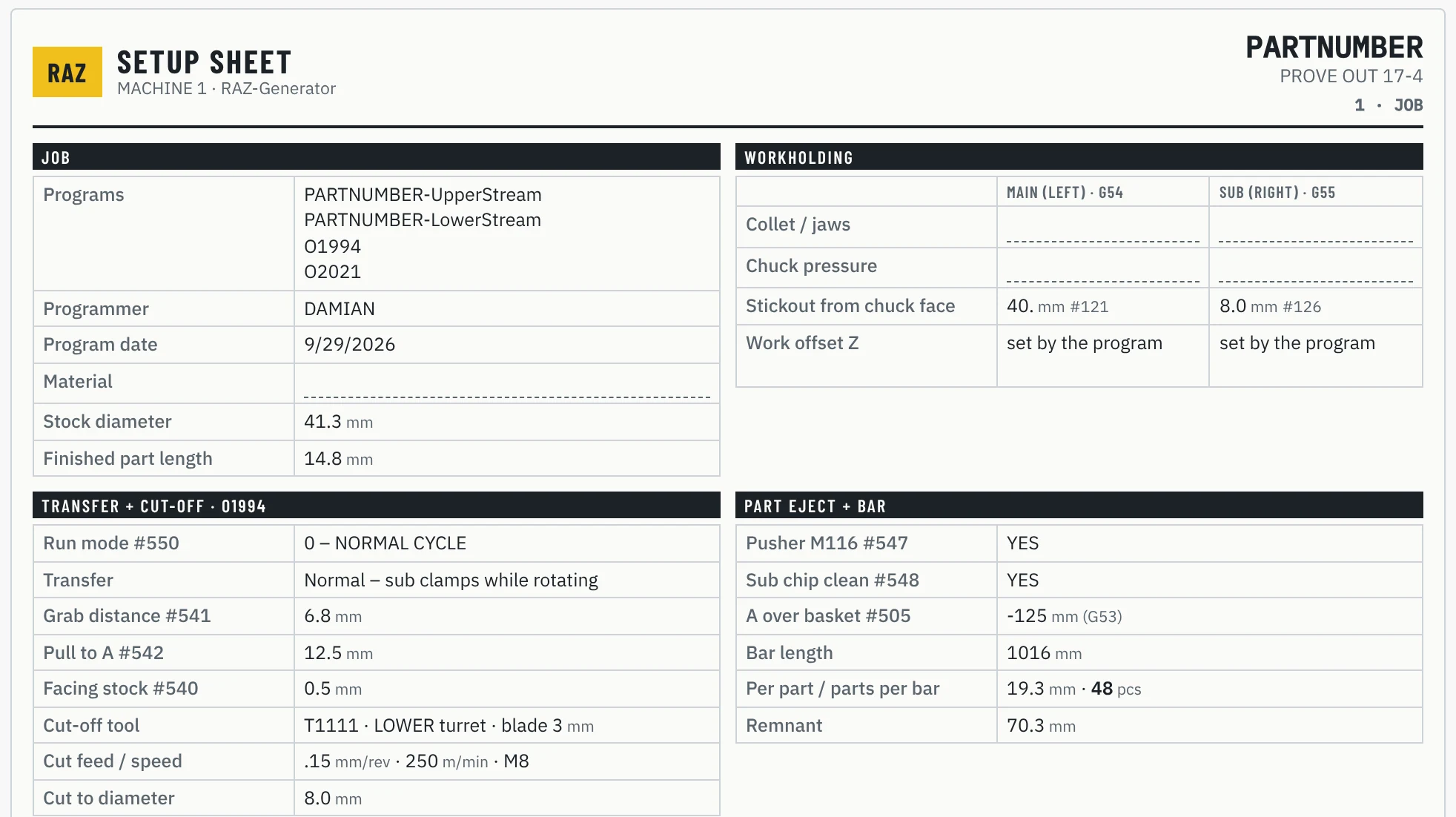
Print the setup sheet

The setup sheet fills itself from the same job: tools and stickouts, workholding, transfer and cut-off values, and a first-part sign-off for the operator.

RAZ-Generator: printed setup sheet for the operator
Getting started

Setting up your machine.

  1. 1

    Send your machine details

    Copies of the operation and programming manuals, the control and its options, and the machine configuration.

    Full list
  2. 2

    Set up for your machine

    The macro is set up for your control, your options and your M-codes, then loaded on the machine.

  3. 3

    Proven on real parts

    First parts run on your machine until the program is signed off.

  4. 4

    In production

    Your team generates new jobs in-house from then on.

Straight talk

Every machine gets a little fine-tuning.

Every machine is a little different: its options, its M-codes, the way it was set up at delivery. So in the first days on a new machine, RAZ-Generator may need a few small adjustments to match that machine's codes exactly. That's normal, and it's simply part of setting your machine up the right way.

I went through the same thing on my own machines. In practice it goes fast, and the result is a machine you don't have to babysit.

Damian CNC programmer · creator of RAZ-Generator

First parts under watch

Every routine is run and checked on your machine before anyone trusts it in production.

Small adjustments, made fast

If a code needs to fit your machine better, RAZ-Generator is adjusted quickly and the result is confirmed on the machine again.

Then bulletproof

Once it's proven, the machine runs the same way on every job, without surprises.

See it run on one of your parts.

Tell us your machine and the parts you run. We'll set up a live demo.

Request a demo
damian@raz-macro.com